> ## Documentation Index
> Fetch the complete documentation index at: https://docs.maxcare.ai/llms.txt
> Use this file to discover all available pages before exploring further.
# How It Works
> Understand how your app integrates with Max AI — embedded or standalone
Max AI supports two types of marketplace apps:
1. **Embedded apps** — Run inside the Max AI dashboard as an iframe. Users interact with your app without leaving Max AI.
2. **External apps** — Run on your own domain as a standalone web app. Users authenticate via [OAuth](/guides/oauth) to share their Max AI identity with your app.
Most apps are **embedded**. Use an **external** app when you have your own portal, mobile app, or need to run outside the Max AI dashboard.
## Embedded Apps
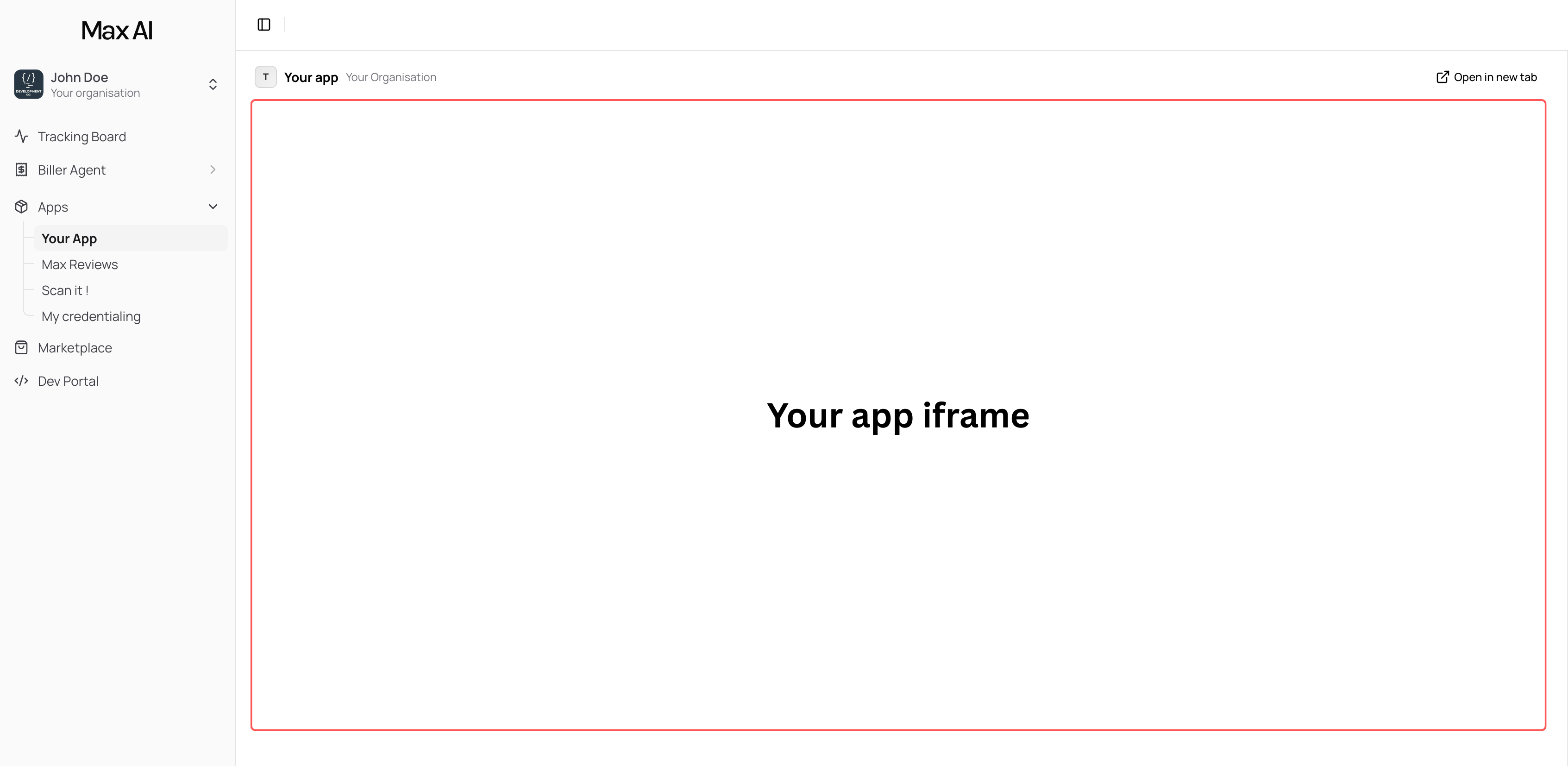
Your embedded app runs as an **iframe** directly inside the Max AI platform. When a clinic installs your app, it appears in their sidebar under **Apps** — and clicking it loads your app's URL in an iframe within the Max AI dashboard.
 ## Architecture Overview
Your app communicates with two systems:
1. **App Bridge** (`@max-ai/app-bridge`) — A client-side SDK that connects your iframe to the Max AI platform. It provides context about the current user and organization, and enables UI interactions with the host application.
2. **Public API** (`api.maxcare.ai`) — A REST API your backend calls to read and write clinic data (patients, appointments, bills, claims, notes, emails, phone numbers, inventory). Authenticated with API keys and scoped permissions.
## Key Building Blocks
### App Bridge
The [`@max-ai/app-bridge`](https://www.npmjs.com/package/@max-ai/app-bridge) SDK runs in your frontend and provides:
* **Organization context** — The Organization ID of the clinic using your app, so your backend knows which clinic to query data for
* **User context** — Information about the current logged-in user
* **Platform communication** — Navigate, notify, and interact with the Max AI host
### Component Library
The [`@max-ai/components`](https://www.npmjs.com/package/@max-ai/components) package provides pre-built UI components styled to match the Max AI platform, so your app looks native.
### Public API
The REST API at `api.maxcare.ai` gives your backend access to clinic data:
* **Patients** — Demographics, contact info, MRN
* **Appointments** — Schedule, status, provider assignments
* **Bills** — Charges, coding groups, diagnoses, line items
* **Claims** — Submission status, insurance, amounts
* **Notes** — Patient visit notes, SOAP notes, image upload and deletion
* **Tasks** — Create and manage EHR tasks/todos assigned to providers
* **Emails** — Send emails and track delivery status
* **Phone Numbers** — Clinic phone number directory
* **Inventory** — Stock levels, products, receiving sessions
* **Providers & Facilities** — Clinic staff and locations
Every API call requires your **API key** (Bearer token) and the **Organization ID** (from the App Bridge or `/v3/marketplace/me`).
## Data Flow
1. A clinic installs your app from the Max AI Marketplace
2. They grant your app the [scopes](/guides/scopes) it requested (e.g., `read:patients`, `read:appointments`)
3. When a user opens your app, the App Bridge provides the Organization ID
4. Your frontend sends that Organization ID to your backend
5. Your backend calls `api.maxcare.ai` with your API key and the Organization ID
6. Max AI returns the clinic's data, filtered to only the scopes your app was granted
## External Apps
External apps run on your own domain. Instead of the App Bridge, they use **OAuth 2.0** to authenticate Max AI users:
1. Your app redirects the user to `app.maxcare.ai/oauth/authorize`
2. The user logs in and selects which organizations to share
3. Max AI redirects back to your app with an authorization code
4. Your backend exchanges the code for user info using your API key
External apps still use the same Public API for data access — the only difference is how they identify the user.
Full OAuth 2.0 setup guide with code examples.
## Next Steps
Set up your developer account and make your first API call.
Use the template app and SDK packages to build faster.
Authenticate users in your standalone app.
## Architecture Overview
Your app communicates with two systems:
1. **App Bridge** (`@max-ai/app-bridge`) — A client-side SDK that connects your iframe to the Max AI platform. It provides context about the current user and organization, and enables UI interactions with the host application.
2. **Public API** (`api.maxcare.ai`) — A REST API your backend calls to read and write clinic data (patients, appointments, bills, claims, notes, emails, phone numbers, inventory). Authenticated with API keys and scoped permissions.
## Key Building Blocks
### App Bridge
The [`@max-ai/app-bridge`](https://www.npmjs.com/package/@max-ai/app-bridge) SDK runs in your frontend and provides:
* **Organization context** — The Organization ID of the clinic using your app, so your backend knows which clinic to query data for
* **User context** — Information about the current logged-in user
* **Platform communication** — Navigate, notify, and interact with the Max AI host
### Component Library
The [`@max-ai/components`](https://www.npmjs.com/package/@max-ai/components) package provides pre-built UI components styled to match the Max AI platform, so your app looks native.
### Public API
The REST API at `api.maxcare.ai` gives your backend access to clinic data:
* **Patients** — Demographics, contact info, MRN
* **Appointments** — Schedule, status, provider assignments
* **Bills** — Charges, coding groups, diagnoses, line items
* **Claims** — Submission status, insurance, amounts
* **Notes** — Patient visit notes, SOAP notes, image upload and deletion
* **Tasks** — Create and manage EHR tasks/todos assigned to providers
* **Emails** — Send emails and track delivery status
* **Phone Numbers** — Clinic phone number directory
* **Inventory** — Stock levels, products, receiving sessions
* **Providers & Facilities** — Clinic staff and locations
Every API call requires your **API key** (Bearer token) and the **Organization ID** (from the App Bridge or `/v3/marketplace/me`).
## Data Flow
1. A clinic installs your app from the Max AI Marketplace
2. They grant your app the [scopes](/guides/scopes) it requested (e.g., `read:patients`, `read:appointments`)
3. When a user opens your app, the App Bridge provides the Organization ID
4. Your frontend sends that Organization ID to your backend
5. Your backend calls `api.maxcare.ai` with your API key and the Organization ID
6. Max AI returns the clinic's data, filtered to only the scopes your app was granted
## External Apps
External apps run on your own domain. Instead of the App Bridge, they use **OAuth 2.0** to authenticate Max AI users:
1. Your app redirects the user to `app.maxcare.ai/oauth/authorize`
2. The user logs in and selects which organizations to share
3. Max AI redirects back to your app with an authorization code
4. Your backend exchanges the code for user info using your API key
External apps still use the same Public API for data access — the only difference is how they identify the user.
Full OAuth 2.0 setup guide with code examples.
## Next Steps
Set up your developer account and make your first API call.
Use the template app and SDK packages to build faster.
Authenticate users in your standalone app.